

Who it’s for
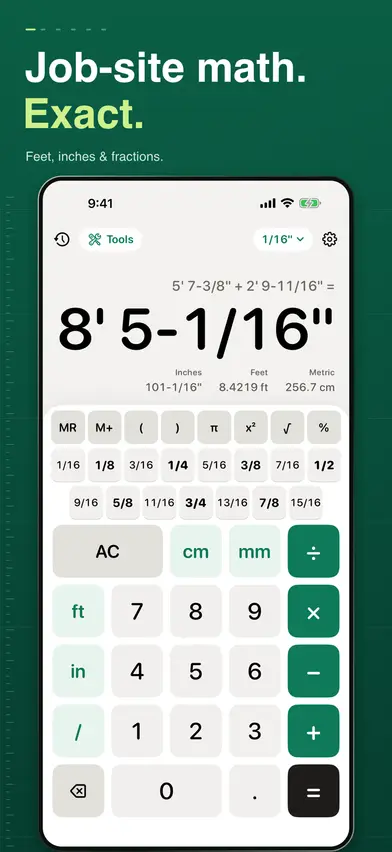
Carpenters, builders and serious DIYers on site, tape in hand, adding and cutting measurements like 5' 7-3/8". Answers come back in the feet, inches and fractions you read off the tape, rounded to the precision you set, with total inches, decimal feet and metric under each one.
It is not an estimating or drawing app: there are no saved projects, jobs or estimates, only the calculator, its history tape and the tools.
Before you buy
Nothing in the app works until you start the free trial or buy: after the welcome pages, the paywall comes before the calculator. The Yearly plan has the 7-day free trial for eligible new subscribers; Lifetime is one payment, with Family Sharing.
On the App Store the app is called Fraction Feet Inch Calculator. On your Home Screen it is Construction Calculator.
What it does
- Add, subtract, multiply and divide feet, inches and fractions exactly (type 5' 7-3/8"), with %, x², √, π, brackets and memory keys.
- Multiply lengths for square or cubic feet, with square and cubic yards and metric shown under the answer, and divide back to a length.
- Under each length: total inches, decimal feet and one metric value (cm, mm or m, your pick in Settings).
- Answers to 1/2, 1/4, 1/8, 1/16 (the default), 1/32 or 1/64 of an inch.
- A history tape saves every answer; tap a row to reuse its exact value, or copy and share it.
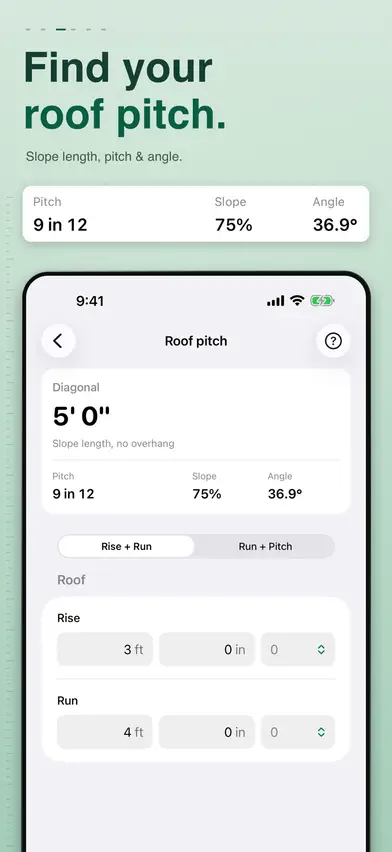
- 11 tools: stairs, roof pitch, hip and valley rafters, jack rafters, rake walls, miters (flat and crown), concrete in cubic yards and bags, board feet, circles and arcs, cost per unit, and a unit converter.
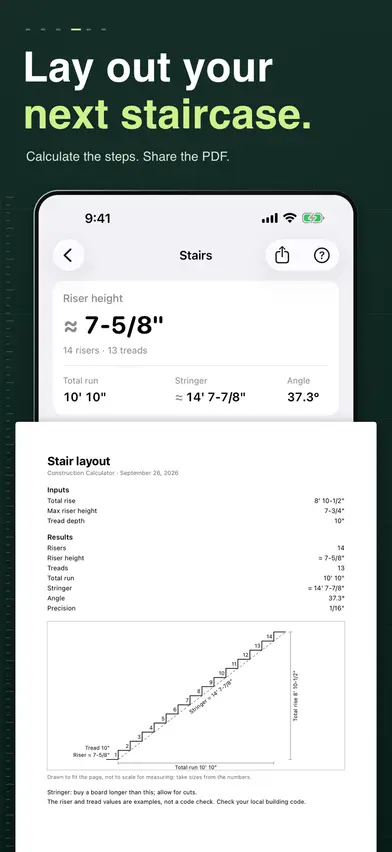
- Stairs works out riser height, risers, treads, total run, stringer and angle, and shares the layout as a one-page US Letter PDF.
- Every tool opens a short guide with a worked example.
- Hold a tool's length, area or volume to send it to the calculator.
- A Home Screen widget shows your last answer; the medium size adds shortcuts to Stairs, Concrete, Roof pitch and the tool list.
- In English and Spanish (Mexican Spanish), following your device's language.
- Works offline once the trial or a purchase is active; starting the trial, buying or restoring needs a connection.
What it doesn't do
- No AR or laser measuring: you type the measurements in.
- No saved projects, jobs or estimates; it keeps a history tape, your settings and each tool's last inputs.
- Only the stair layout exports a PDF, and only on US Letter paper (no A4).
- No irregular hips or valleys: both roof planes have the same pitch.
- No Lock Screen or large widget.
- No Android or web version.
Plans and prices
Free to download, with in-app purchases. Every feature, the calculator included, needs the free trial or a purchase.
- YearlyUS$9.99a year, 7-day free trial for eligible new subscribers
- LifetimeUS$19.99paid once, with Family Sharing
The Yearly plan renews at its price each year until you cancel, and you can cancel any time in your Apple Account settings. Lifetime is one payment; nothing renews. Prices are in US dollars for the US App Store; the app shows your local price before you buy.
Screens from the App Store
Your data
- No account or sign-up
- No ads
- Your history, settings and each tool's last inputs are stored on your device, with no cloud sync
- The app sends usage analytics and crash reports to PostHog, with screen recordings: what you type into tool fields is hidden, but the calculator's display and results show
- The App Store privacy label lists Purchases, Location, User Content, Identifiers, Usage Data and Diagnostics as data linked to you; none is used to track you
The app's full privacy policy is at klm-labs.github.io/construction-calc/privacy/, and its terms at klm-labs.github.io/construction-calc/terms/.