
Who it’s for
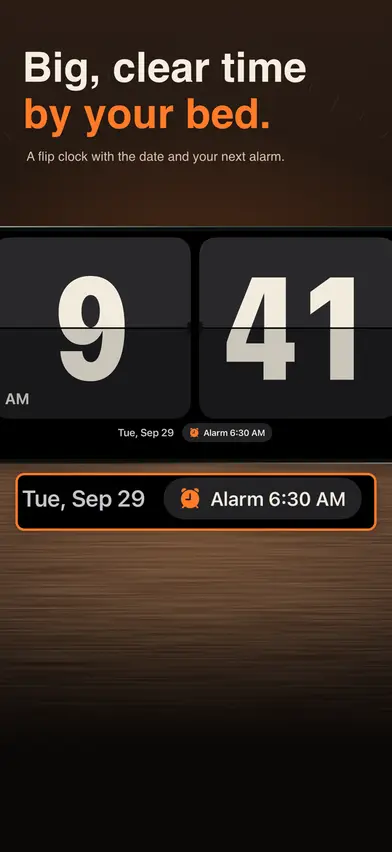
Anyone who keeps an iPhone or iPad on the nightstand or desk and wants it to be a big, good-looking clock that also wakes them up, without ads. The digits fill the screen in portrait or landscape, with the date and your next alarm under them.
It is a bedside and desk clock with alarms, not a full clock app: there is no world clock, timer or stopwatch.
Before you buy
On the first launch you pick a face and 12- or 24-hour time. After that, the clock, alarms and widgets need the free trial or a purchase. Yearly has the 7-day free trial for eligible new subscribers, and Family Sharing; Lifetime is one payment, without Family Sharing.
It needs iOS 26 or later. On the App Store the app is called Flip Clock: Big Digital Alarm.
What it does
- Three faces: a flip clock with turning cards, a digital face in five fonts (Thin, Bold, Rounded, Mono, Serif) and a retro LED face.
- 10 digit colors on a black, white, navy or cream background; a color too hard to read on the background is grayed out.
- Seconds, the date and the next alarm can each be turned on or off, and your look is saved.
- 12-hour or 24-hour on the face, in your alarms and in the widgets, whatever your iPhone or iPad is set to.
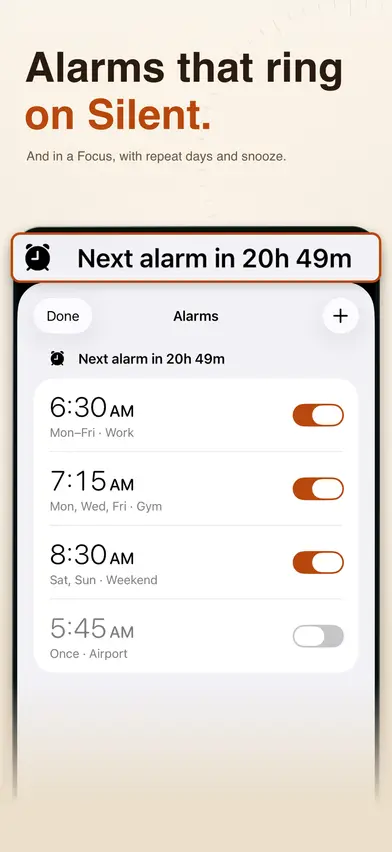
- Alarms with repeat days, a label and snooze (off, 5, 9, 10 or 15 minutes), with Stop and Snooze when they ring.
- Alarms are system alarms made with Apple's AlarmKit, which the store says ring even on Silent and in a Focus, with the system alarm sound.
- Test Alarm rings one minute later, so you can hear it before you rely on it.
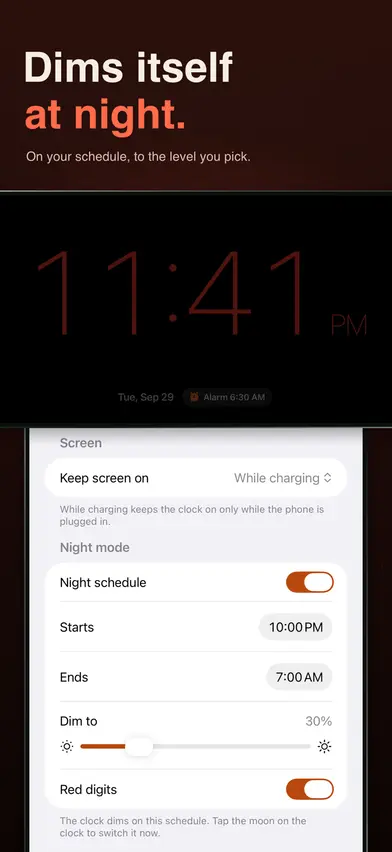
- Night mode on a schedule (10 PM to 7 AM unless you change it) or with the Night button: the face dims to the level you pick on black, with optional red digits.
- The face moves slightly every minute, by up to 2 points, to spare the screen.
- Swipe up or down on the face to set its brightness; your screen's own brightness setting is never changed.
- Keeps the screen on while charging (the default), always, or never.
- Home Screen widgets (small and medium) with your face, the date and your next alarm, and a Lock Screen widget with your next alarm; on iPhone, the small widget also shows in StandBy.
- Portrait or landscape, on iPhone and iPad.
What it doesn't do
- No world clock, timer or stopwatch.
- No choice of alarm sound or your own music; alarms use the system sound.
- No analog face, hourly chime, weather or sleep tracking.
- No Apple Watch app.
- No Siri or Shortcuts actions.
- No Android or web version.
Plans and prices
Free to download, with in-app purchases. Past the welcome page, everything (the clock, alarms and widgets) needs the free trial or a purchase.
- YearlyUS$29.99a year, 7-day free trial for eligible new subscribers, with Family Sharing
- LifetimeUS$39.99paid once
The Yearly subscription renews automatically unless you cancel at least 24 hours before the end of the current period; manage or cancel it in Settings. Lifetime is one payment; nothing renews. Prices are in US dollars for the US App Store; the app shows your local price before you buy.
Screens from the App Store
Your data
- No account or sign-in
- No ads
- Your look, settings and alarms stay on your device; there is no cloud sync
- The app sends usage events to PostHog under a random ID, not your name or email: counts, on/off answers and choices such as the face, never your alarm times, labels or days. There are no screen recordings and no crash reports
- The App Store privacy label lists Purchases, Location, Identifiers and Usage Data as data linked to you; none is used to track you
The app's full privacy policy is at klm-labs.github.io/desk-clock/privacy/, and its terms at klm-labs.github.io/desk-clock/terms/.